
 Clauhub Fiscal
Everything SAT, in one place.Without opening the portal.
Issue, download and review your CFDI with your e.firma: 69-B alerts, VAT, DIOT and accounting in the same place.
No cost during launch · No card · Nothing to install
Stamped by a SAT-authorized PAC · Your e.firma password is stored encrypted and you can delete it anytime. How we protect it
Built for accountants, firms and companies in Mexico, with every rule backed by its legal basis.
- 5 years
- of history downloaded from the SAT
- Minutes
- until your first received invoices
- Every 12 hours
- it syncs with the SAT on its own
- Daily
- suppliers checked against 69-B and 69
From the SAT to your month's VAT, without the portal.
- 01 · Download

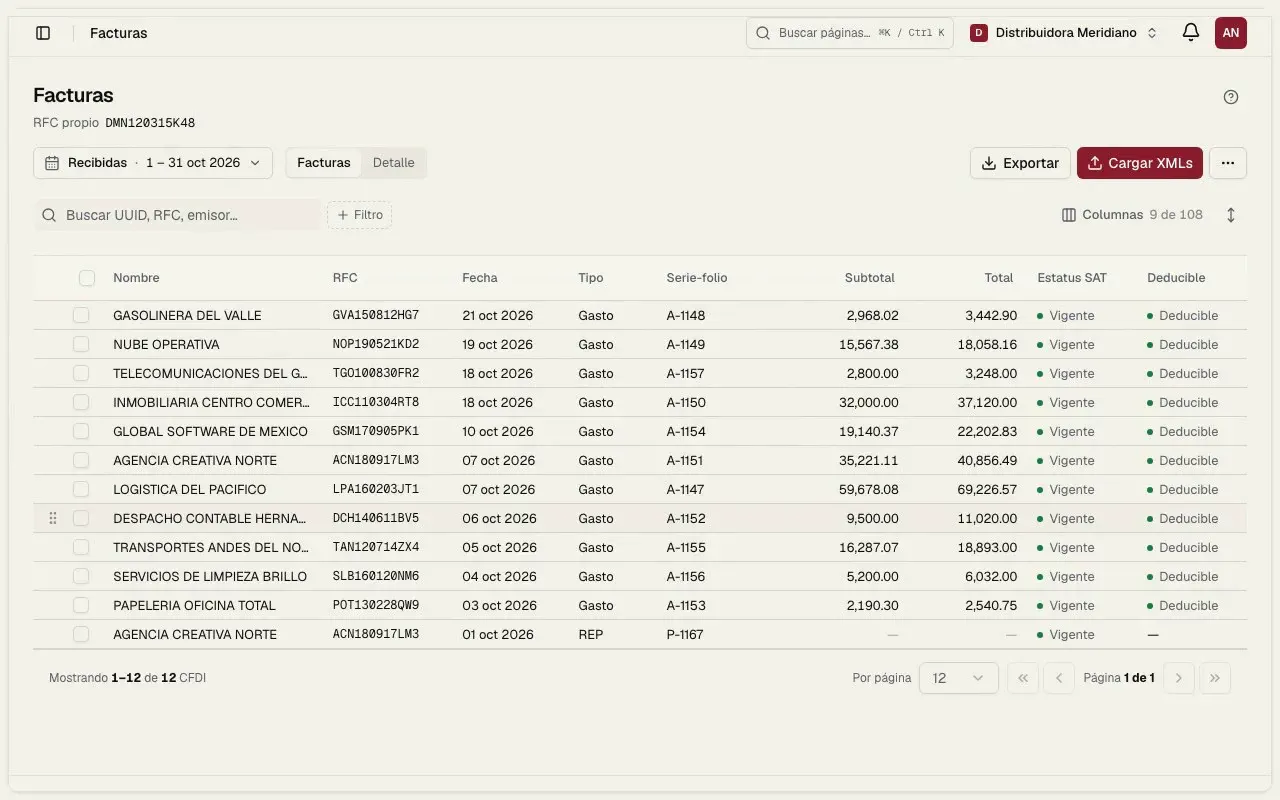
Your XML files come down on their own.
Connect your e.firma once and we request your issued and received CFDI from the SAT. No captcha.
- Issued and received
- No captcha
- 5 years
- 02 · Review

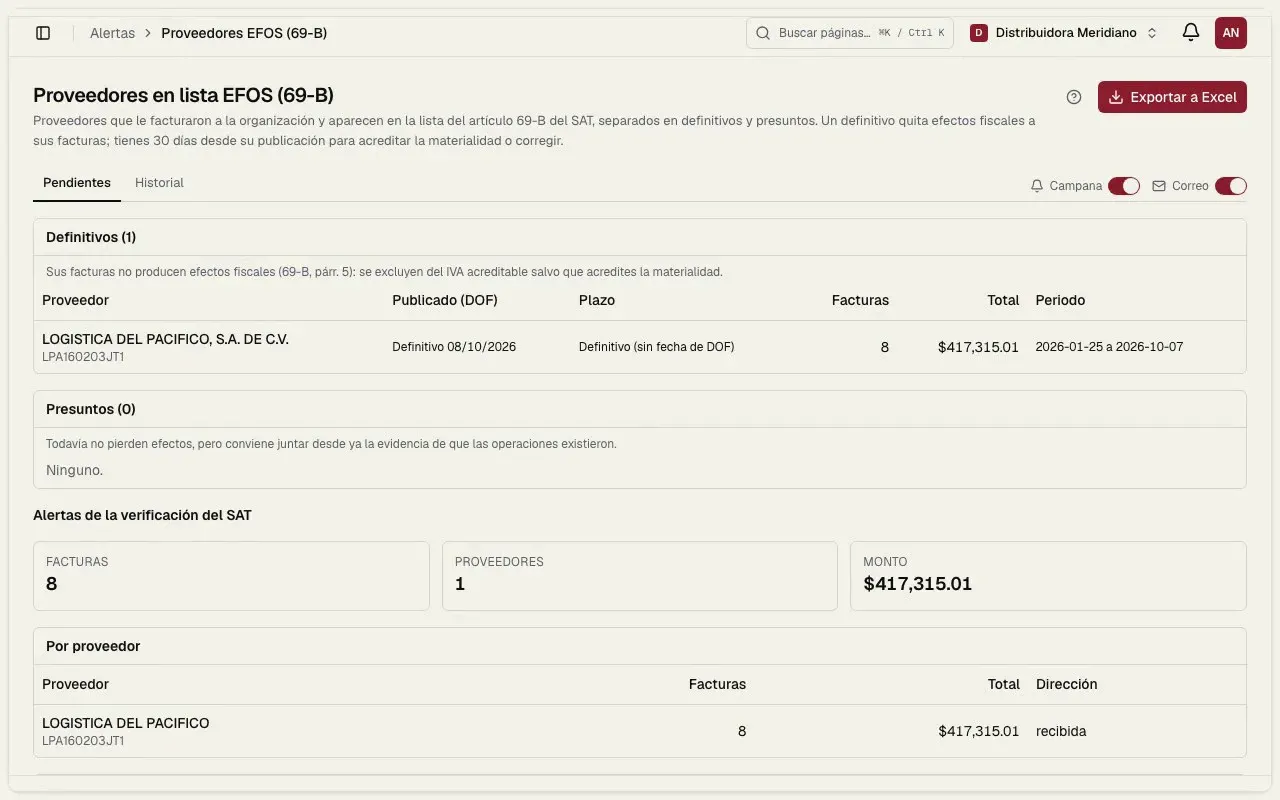
Every night they go through the filter.
69-B, cancellations and payments without REP. If one is flagged, we tell you what it is and how to fix it.
- 69-B · the day it is published
- Cancellations nightly
- Payments without REP
- 03 · VAT and DIOT

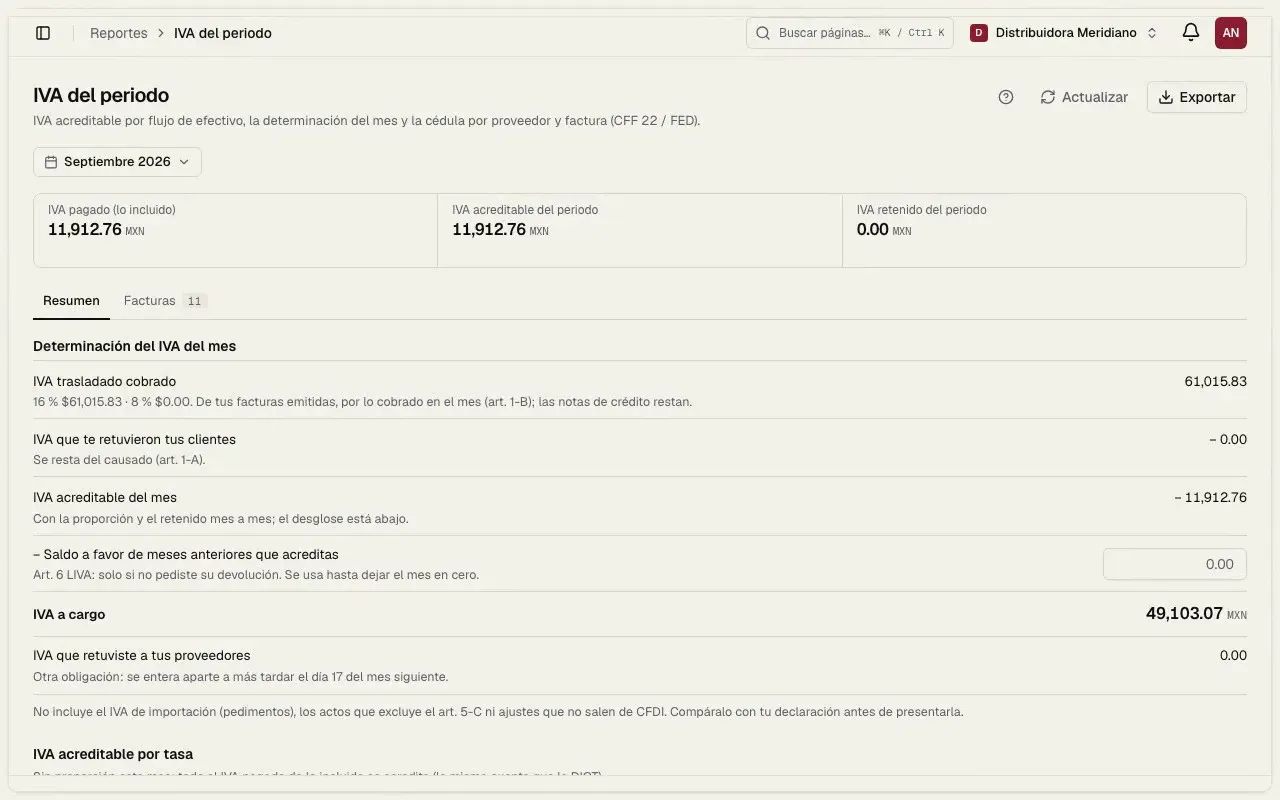
They land in your month's VAT.
With your invoices downloaded we build the month's VAT and the DIOT TXT. You only review.
- Month’s VAT
- DIOT TXT
- By supplier
- 04 · Accounting

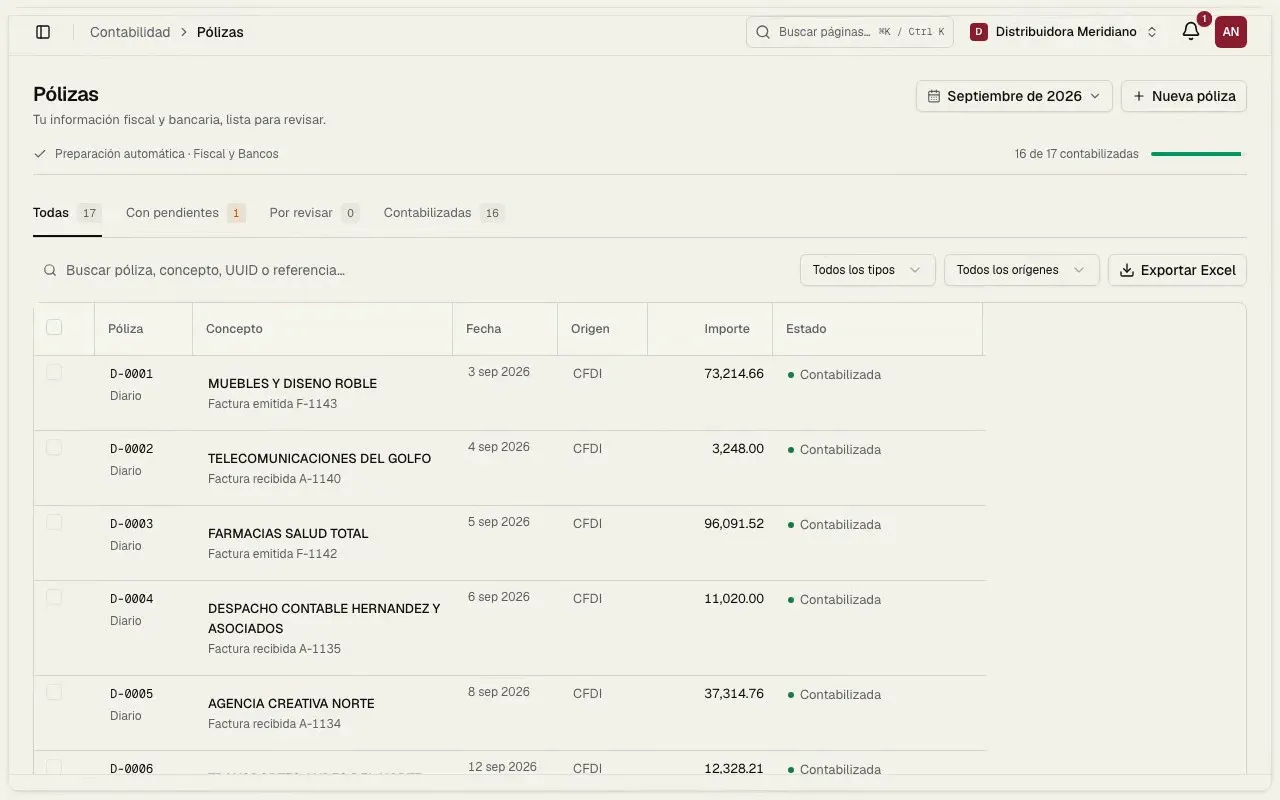
And end up as journal entries.
CFDI become journal entries, the trial balance and the electronic accounting files for the SAT.
- Journal entries
- Trial balance
- Electronic accounting
A day with Clauhub
While you sleep, it is already working.





One platform for everything SAT. Reviews that run on their own, every day.
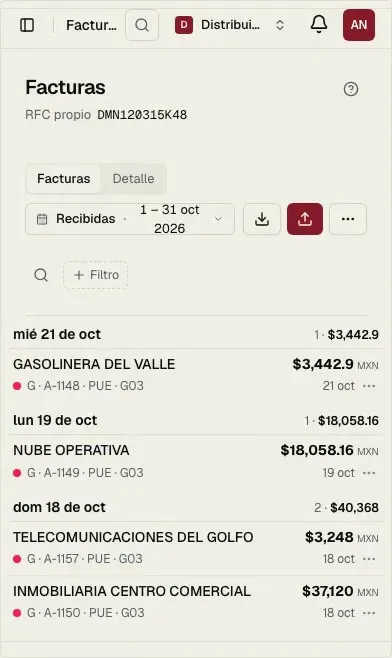
Bulk CFDI download five years of issued and received, with your e.firma.
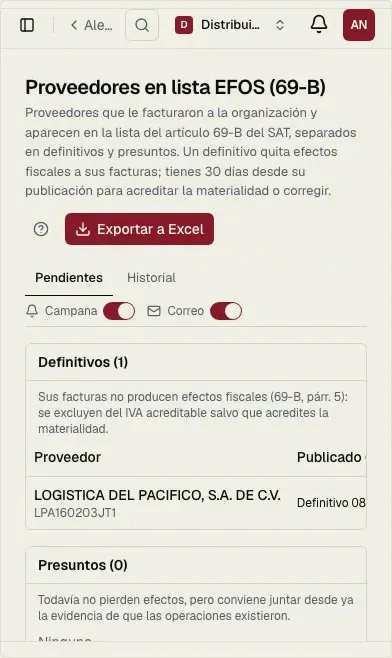
Alerts before the SAT 69-B, cancelled invoices and payments without REP.
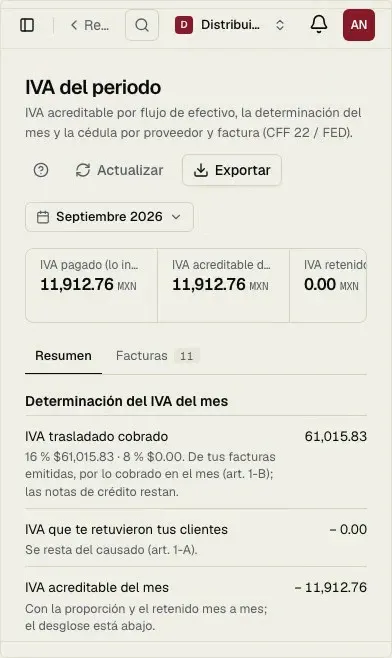
VAT and DIOT for the month, with the DIOT TXT ready.
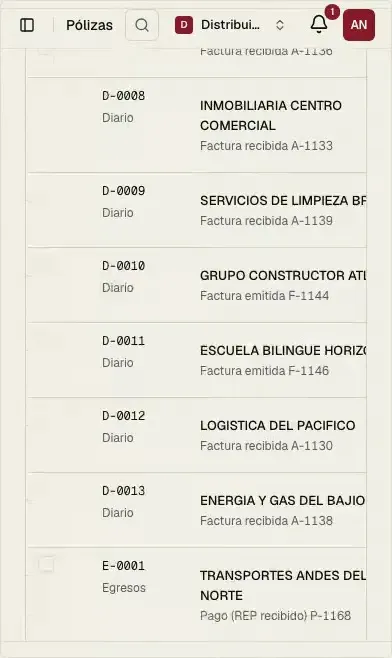
Accounting journal entries, trial balance and electronic accounting.
SAT documents tax certificate, 32-D opinion and Buzón Tributario.
What we check
Every invoice, layer by layer.
Clauhub opens every XML that comes down from the SAT and checks each part against the lists and the rules. If something is off, it tells you what it is and how to fix it.
CFDI 4.0 · XMLExample invoice
- IssuerXAXX010101000Not on the 69-B list
- SupplierXEXX010101000Published on 69-B today
- SAT statusValidChecked tonight
- Payment methodPPDIts REP is missing
- Recipient's regime601Matches your certificate
- Total$12,480.0016% VAT · adds up
Your e.firma is only used to request your documents from the SAT.
How we protect it →Encrypted
Your e.firma password is stored encrypted with AES-256-GCM.
Under your control
Delete it in one click and syncing stops.
Two-factor
A one-time code to log in, and sessions you can close remotely.
Audit log
Every action is recorded with who did it and when.
Invoicing
Invoice from the same place. With what the SAT already has.
Pick what you are invoicing and the form adjusts itself. Stamp CFDI 4.0 with your digital seal.
40 invoice types
Sales, credit notes, global invoices, payment complements (REP), payroll, Carta Porte, foreign trade and more.
Your customers and products, one click away
We bring them from what you already invoiced: RFC, tax regime, postal code and SAT code fill in on their own.
The PDF before you stamp
The preview is the same PDF your customer receives, and it is emailed to them when you stamp.
Link to what was downloaded
Credit notes, replacements and cancellations against the invoices we already pulled from the SAT, without typing UUIDs.
Built for accounting firms. All your clients' RFCs in one account, each with its own e.firma and alerts. Invite your team by role and your client as read-only.
See Clauhub for accounting firms →Tax entities · 24 RFCs
Example Firm


Less portal. More business.
Six checks on every invoice, every day. We tell you what it is and how to fix it.
- CFF art. 69-B
Supplier on the 69-B list
You have 30 days from publication to correct it before your digital seal is restricted. We alert you the day it appears.
- CFF art. 69
Supplier not located or with a final debt
It shows up in the same alert as the 69-B, before you pay them again.
- Status at the SAT
Cancelled invoice you already used
The issuer cancels it after you deducted it. We check cancellations every night.
- RMF 2026, rule 2.7.1.32
Payment without a REP
Without the payment complement you can't credit the VAT of your PPD invoices. We list which ones are missing.
- Annex 20, CFDI 4.0
Invoice with the wrong regime
If it doesn't match your tax certificate, it has to be reissued. We tell you which supplier to ask.
- CFF art. 82 fr. XXVI
DIOT filed wrong
The fine goes up to $29,750 MXN. We build the month's VAT and the DIOT TXT from your XML.
Amounts and articles per the RMF 2026 and the CFF reform (DOF Nov 7, 2025). This is not tax advice: review your case with your accountant.
Launch pricing
Today the system has no cost. You only pay for stamps if you invoice.
No card, so nothing is charged automatically. When launch pricing ends, we'll tell you before it changes.
Business plan$399$0MXN + VAT per user a month billed annually, during launch
Included today
- The RFCs in your plan
- Every user you invite
- Daily download and alerts
- VAT, DIOT and accounting
Stamps to invoice
$299.52
MXN + VAT per 100 stamps ($347.44 with VAT)
Paid with credits; bigger packs add bonus credits. You start with 6 free.
Rather we do it for you?
Our accounting and tax team keeps your books, files your returns and handles your invoicing on the same platform.
Frequently asked questions
How do I bulk download my XML from the SAT?
Connect your e.firma once and Clauhub requests your issued and received CFDI from the SAT, up to five years back. After that it syncs on its own every 12 hours and checks the most recent ones during the day. No captcha and no 500-per-query cap like the portal.
Can I issue invoices with Clauhub Fiscal?
Yes. You stamp CFDI 4.0 with your digital seal (CSD): sales, credit notes, global invoices, payment complements, payroll, Carta Porte, foreign trade and more. Each invoice uses one stamp.
How do I know if a supplier is on the 69-B list?
Clauhub checks all your suppliers against the 69-B and 69 lists published by the SAT, every day, and alerts you with the publication date and their status (presumed, definitive, cleared).
How much does it cost?
Today the system has no cost during launch. You only pay for stamps if you issue invoices, from $299.52 MXN + VAT per 100 ($347.44 with VAT).
Does it work for a firm with many clients?
Yes. Each client is a tax entity with its own RFC and e.firma, in the same account, with roles per person.
Does it generate the DIOT TXT?
Yes. It builds the DIOT by supplier from your XML and lets you capture what the CFDI doesn't carry, such as foreign suppliers and customs entries.
Do I need to install a downloader on Windows?
No. Everything runs in the browser, on any computer.
Does it work with the password (CIEC)?
No. The SAT's bulk download requires the e.firma; the CIEC can't request XML in volume.
More of Fiscal
Clauhub Fiscal
Everything SAT, in one place.
No cost during launch · No card · Support in Spanish